
Canva vs Instagram Post Template Systems, Which Holds Up When Your Team Scales?

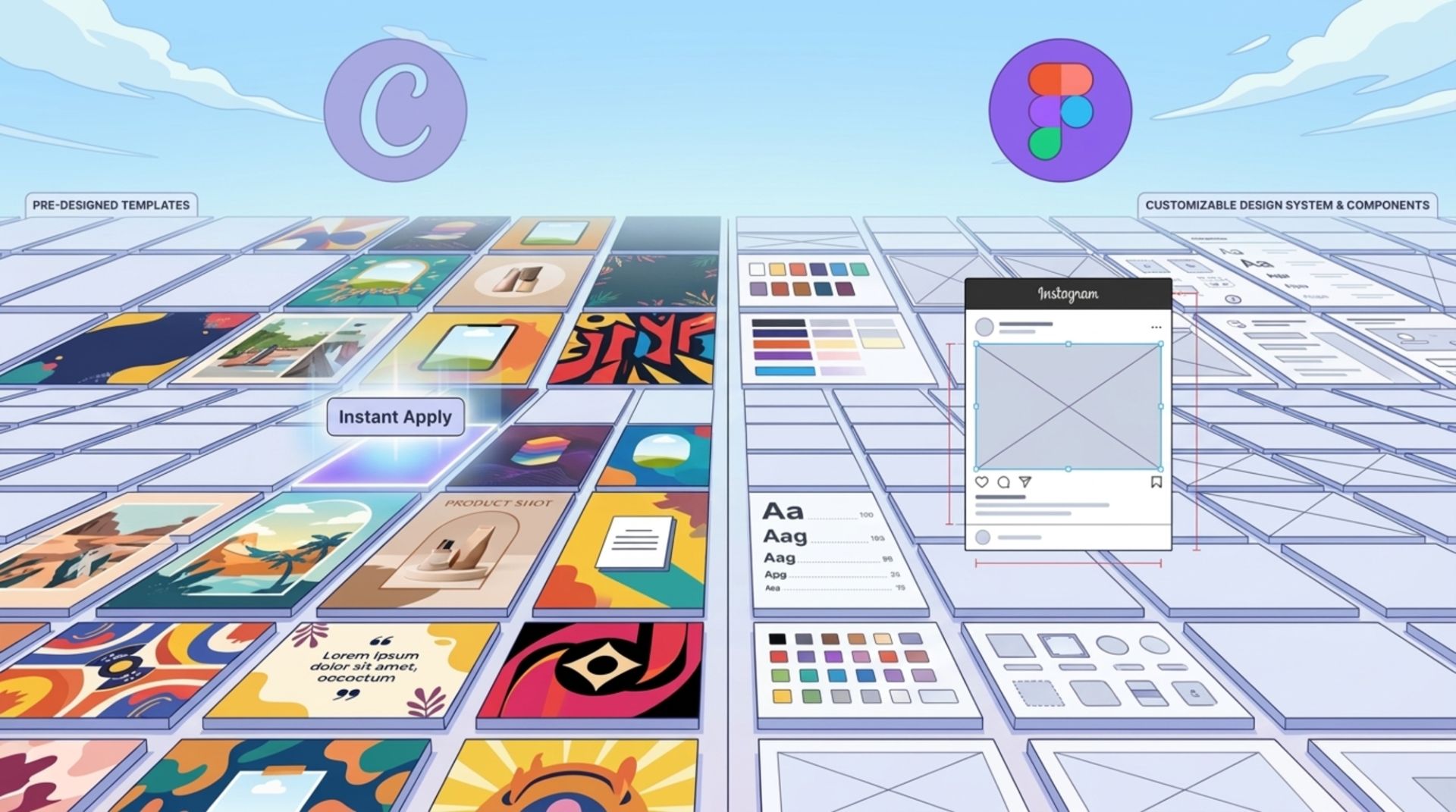
If you are evaluating an instagram post template approach for a growing team, the real decision is usually not “templates or no templates”. It is whether you standardize in Canva templates (fast self-serve) or build a Figma-based template system (more control and scalability) once multiple people are publishing weekly.
Table of contents
Key takeaways
Canva wins for speed and solo creation; Figma wins for brand control and predictable scaling across a team.
“Cost-per-output” is mostly labor time: measure minutes per published post, not subscription price.
Standardize your instagram post template system around constraints: roles, approvals, and how often layouts change.
The State of the Market (Direct Answer)
Direct answer (50 words): Canva is optimized for fast, self-serve creation with built-in publishing, while a Figma-based instagram post template system is optimized for scalable brand consistency, shared components, and tighter change control. Canva is still popular, but teams are shifting toward modular design systems and AI-assisted production workflows that reduce rework.
Head-to-Head Comparison Table
Use this table as a shortlist filter. The “winner” depends on whether you prioritize speed for one person or consistency across multiple contributors.
Criteria | Canva (Templates) | Figma (Template System) |
|---|---|---|
Setup Time | Fast: 10 to 30 minutes for a basic instagram post template set using existing layouts | Moderate: 2 to 6 hours to set styles, components, and rules (faster if you start from a kit) |
Learning Curve | Low: non-designers can ship quickly | Medium: easiest when a designer sets the system, editors swap content |
Scalability | Good for small teams; can drift when many people duplicate and tweak layouts | Strong for teams: components, styles, and libraries reduce layout “forking” |
Integration Ecosystem | Strong for publishing and lightweight workflows; varies by plan and stack | Strong for design workflows, handoff, and asset management; publishing usually via exports + scheduler |
Cost-per-Output | Often low at first; increases when brand QA and rework rise | Often lower at scale; upfront setup cost pays back via fewer revisions and faster iteration |
Deep Dive: Where a Figma Template System Outshines Canva
This is the “self-serve to team expansion” path: you start with one marketer making posts, then add a second, then a freelancer, then performance marketing needs 10 variations per campaign. That is where a system behaves differently from a folder of templates.
1) Time-to-first-value, what “under 10 minutes” actually means
If you already have a defined component library (buttons, type styles, spacing, color tokens), a new campaign post can be produced in under 10 minutes by swapping: headline, product image, offer block, and CTA. The key is that layouts are not redrawn; they are assembled from locked patterns.
Benchmark to track: median minutes from “brief received” to “export ready”.
Practical target: keep edits to content-only changes for 70%+ of posts.
2) Change control, stop template drift
Template drift happens when multiple people duplicate a file and “just tweak one thing”, and six weeks later the feed looks inconsistent. In Figma, you can reduce this with a simple 3-layer rule:
Library components: header, pricing block, product card, disclaimer block (edited only by owner).
Page templates: carousel cover, feature slide, testimonial slide, offer slide.
Content fills: text, images, numbers, and localized variants (edited by the team).
3) Variations for paid and organic from the same source
Once you treat each instagram post template as a reusable pattern, you can generate controlled variations without redesigning. Example: a “launch announcement” pattern can spawn 6 versions by changing only two variables:
Variable A: hero image (product-only vs lifestyle vs UGC)
Variable B: offer block (no offer vs % off vs bundle)
This is especially useful when your creative ads design process requires multiple iterations quickly.
4) Design system consistency across channels
Even if the keyword is instagram post template, most teams repurpose assets for Stories, email headers, landing pages, and paid formats. Figma is generally better when you want one source of truth for type scale, spacing rules, and visual hierarchy, which directly reduces back-and-forth review cycles.
If you are building repeatable social media post design workflows across more than one platform, system-based templates usually behave more predictably.
When Should You Choose Canva?
Being honest: Canva can be the better choice in specific scenarios, especially when your constraint is speed and you do not have a design owner.
Choose Canva if you need non-designers to produce decent posts immediately, and brand requirements are “good enough” rather than strict.
Choose Canva if publishing and scheduling inside the same tool is a priority, and you want minimal file management.
Canva may also be better when you rely heavily on ready-made stock elements and quick edits from a mobile workflow. If your team is not ready to maintain components and libraries, a Figma template system can become “a designer bottleneck” instead of a speed multiplier.
The Migration Playbook
If you are switching from Canva templates to a Figma-based instagram post template system, treat it like a mini product migration. The goal is not to recreate everything, it is to preserve what is working and formalize it.
Audit and pick the 10% that drives 80% of output
Export your last 30 posts.
Group them into 3 to 5 recurring patterns (launch, feature highlight, testimonial, promo, educational carousel).
Pick the top 5 patterns to systemize first.
Rebuild as components, not pages
Create components for recurring blocks: logo lockup, offer tag, product card, “proof” block, CTA strip.
Define text styles (H1, H2, body, caption) and color styles once.
Then assemble templates from those blocks.
Operationalize: roles, exports, and review rules
Set who can edit the library vs who fills content.
Define export presets (1080x1350, 1080x1080) and naming conventions.
Set a single review checklist (below) that anyone can run in 2 minutes.
2-minute pre-publish checklist (copy/paste)
Is the cover slide readable at thumbnail size?
Do all slides use approved type styles (no manual font overrides)?
Is spacing consistent (same margins and gutters across slides)?
Is the CTA present where needed (and not duplicated)?
Are claims and numbers sourced or clearly framed as opinion?
Decision Matrix and Expert Insight
Choose X if...
Choose Canva if you are a 1 to 2 person team, producing low-to-medium volume, and you need the lowest learning curve.
Choose a Figma template system if you have multiple contributors, frequent approvals, or performance marketing needs controlled variations at speed.
Choose a hybrid if designers maintain the master system in Figma and non-designers adapt approved exports in Canva for lightweight edits.
Expert insight: evaluate beyond the pricing page
Before you commit, test these three “hidden cost” factors with a 30-minute trial project:
Version control: how easy is it to prevent people from using outdated templates?
Reuse mechanics: can you update one component and have changes propagate, or will you be editing 25 files manually?
Export reliability: can your team consistently export correct sizes, color, and typography without formatting surprises?
If you are doing broader creative for digital marketing, repeatability and change control usually matter as much as raw production speed.
FAQs About Instagram Post Template Systems
How many instagram post template layouts do I actually need?
For most teams, 8 to 12 templates cover the majority of use cases: 3 carousel structures, 2 promo layouts, 2 product/feature layouts, 1 testimonial layout, and 1 announcement layout. Add more only when you can name the use case and owner.
What is a good way to measure “cost-per-output” for templates?
Track labor minutes per post (creation + review + revisions). Multiply by your internal hourly cost. This reveals when a “cheap” tool becomes expensive due to rework and approvals.
Can Canva templates stay on-brand for a larger team?
Yes, if you enforce locked elements, restrict editing permissions, and maintain a small approved template set. The risk is template drift when many people duplicate and customize without a single owner reviewing changes.
Should I build templates in Figma or Canva if I run paid social?
If you need rapid controlled variations (multiple headlines, offers, crops) and strict brand consistency, Figma systems tend to be easier to scale. If you need fast production by non-designers with minimal training, Canva may be more practical.
If you want the speed of templates without the overhead of building and maintaining a full system yourself, Tetta Space can design a reusable instagram post template system (editable files, organized exports, and brand-consistent layouts) so your team can ship faster with fewer revisions. Explore options and request a scoped quote at Tetta Space.

Written by Thomas D
Hi, I'm Thanh Duong, but most clients know me as Thomas. I lead product design at Tetta Creative Studio, and over the past five years I've designed websites, online stores and digital products for brands in technology, AI, fashion, F&B and beauty, across Vietnam, the US and Australia,... My work sits where user experience meets business results. I map customer journeys, simplify checkout flows and build design systems that help small teams ship faster. On Upwork, I hold Top Rated status, a badge I earned through consistent client satisfaction and on-time delivery. On the Tetta blog, I write about e-commerce UX, product page design, and the practical decisions behind interfaces that convert. When I'm not designing, I'm drawing or playing with my cat. Expertise: UI/UX design, e-commerce product design, design systems, prototyping

