
Ecommerce Web Layout: Why Shoppers Leave Before They Buy

An ecommerce web layout is not just “where things go” on a page. It is the decision system that controls how shoppers scan, compare, and commit. When layout is unclear, people do not “browse longer”, they hesitate, get lost between pages, and abandon before they ever reach checkout.
Table of contents
What ecommerce web layout really means (and why it affects revenue)
Page-by-page layout checklists (home, category, product, cart)
How to validate an ecommerce web layout with quick tests and benchmarks
Key takeaways
Good ecommerce web layout reduces decision effort by making navigation, product scanning, and purchase actions predictable.
Use a 5-layer structure (global, navigation, listing, product detail, checkout) to keep changes controlled and measurable.
Validate layout with 5-second tests, scroll/click heatmaps, and a task-based usability script before you redesign.
What ecommerce web layout really means (and why it affects revenue)
In practice, an ecommerce web layout is the repeatable structure shoppers learn while moving from:
Discovery (home, landing pages, search results)
Evaluation (category pages, filters, product pages)
Decision (cart and checkout)
Layout issues show up as “soft failures” that analytics often hides:
High product views but low add-to-cart (CTA placement, weak hierarchy, missing reassurance).
Filter use but low click-through (filter design, sorting clarity, or too much cognitive load).
Cart starts but low checkout completion (unexpected totals, distracting layout, weak error handling).
For evidence-based UX patterns and common pitfalls, Baymard Institute’s research is a strong reference point (note: much of their detailed guidance is behind a paywall, but summaries still help): Baymard UX research on ecommerce.
The 5-layer ecommerce web layout framework
Instead of “redesigning the site,” use this framework to isolate what to change and why. Each layer has a job, success criteria, and common failure modes.
Layer 1: Global frame (header, footer, and persistent utilities)
Job: Make the store feel navigable and trustworthy on every page.
Include: logo (home link), primary nav, search, account, cart, shipping/returns link, support contact.
Success criteria:
Search is visible without scrolling on desktop and mobile.
Cart icon shows state (item count) and is reachable with one tap on mobile.
Layer 2: Navigation and orientation
Job: Help shoppers answer “where am I?” and “what are my options?”
Include: breadcrumbs (especially on categories and PDPs), clear page titles, consistent category naming.
Success criteria: a first-time visitor can reach a specific product type in 2-3 clicks/taps from home (benchmark varies by catalog size, but this is a practical target).
Layer 3: Listing layout (category and search results)
Job: Make product scanning fast and comparison effortless.
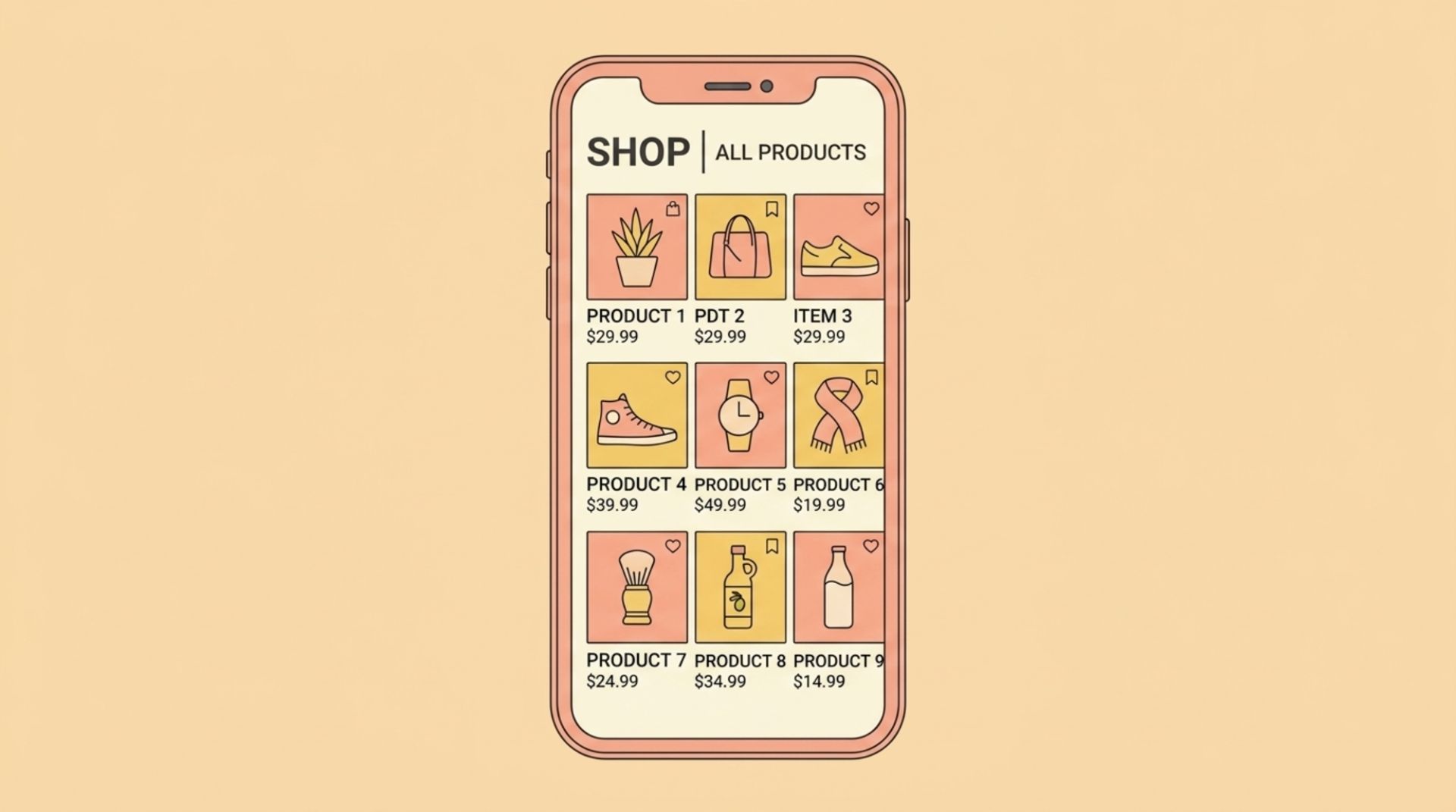
Include: consistent product cards (image, name, price, review count if available), sorting, filters, pagination or infinite scroll with guardrails.
Success criteria:
Filters are usable one-handed on mobile (sticky or bottom-sheet patterns).
Sorting is explicit (not hidden behind vague labels like “Featured”).
Layer 4: Product detail layout (PDP)
Job: Convert intent into commitment with clarity and reassurance.
Include: clear title, price, variant selection, shipping/returns summary, primary CTA, key benefits, social proof, FAQs/specs.
Success criteria:
Variant selection happens before Add to cart, with errors shown inline.
The primary CTA stays visible on mobile after the first screen (sticky CTA is common).
Layer 5: Cart and checkout layout
Job: Prevent surprises and reduce error rate.
Include: item summary, shipping estimate, taxes clarity (as early as possible), promo code entry without distraction, clear primary action.
Success criteria:
Total cost is understandable before payment details.
Form errors explain how to fix them (not just “invalid”).
Page-by-page layout checklists (home, category, product, cart)
Use these as “definition of done” lists. If you cannot check an item, you have a concrete design task rather than a vague redesign goal.
Homepage layout checklist (8-point)
One clear primary path (shop category, bestseller collection, or quiz) above the fold.
Search is visible (not buried behind icons only).
Trust signals near first decision point (shipping threshold, delivery speed, returns, payment methods).
Top categories are scannable (not a wall of links).
Best sellers use consistent card layout and show price.
Promotions do not overpower navigation (avoid full-screen popups on first page load).
Footer includes customer service links and company info.
On mobile, key actions are reachable with one thumb (cart, menu/search).
Category / collection ecommerce web layout checklist (10-point)
Clear H1 that matches what shoppers think they clicked.
Sorting visible and understandable (price, newest, best selling).
Filters grouped by intent (size, color, feature, price), not by internal taxonomy.
Filter selections are visible and removable (chips/tags).
Product cards show the 2-3 attributes shoppers compare most (price, rating, key variant).
Grid spacing supports scanning (avoid cramped cards that merge visually).
Pagination or “load more” maintains orientation (avoid infinite scroll that loses the footer and filters).
Out-of-stock handling is clear (do not bait-click without warning).
Empty states are helpful (suggest alternative filters, not just “0 results”).
Performance: images load progressively and do not jump layout (reduce layout shift).
Product page (PDP) layout checklist (12-point)
Primary image area prioritizes product visibility (not lifestyle-only).
Price, availability, and variant selector appear before long descriptions.
Add to cart is the visually dominant action.
Shipping and returns summary is visible without hunting.
Key benefits are bulleted (3-6 bullets), not hidden in paragraphs.
Social proof is placed near decision points (rating + review count near title/price).
Size guide/specs are easy to access without leaving the page.
Sticky add-to-cart on mobile after first scroll.
Cross-sells are relevant and do not interrupt the primary purchase path.
FAQ section answers objections (delivery, materials, warranty) using concise layout blocks.
Error states are in-context (ex: “Select size” next to size).
Accessibility basics: readable type sizes, sufficient contrast, focus states.
If you are also reviewing the broader ecommerce site design, treat PDP layout as the highest-leverage page to standardize first.
Cart layout checklist (7-point)
Line items are editable (quantity, remove) without page reload where possible.
Shipping estimate or delivery window is shown early (even if approximate).
Full cost clarity: subtotal, shipping, taxes, discounts.
Primary CTA is unambiguous (“Checkout” or “Continue to checkout”).
Promo code entry is available but not visually louder than checkout.
Trust and payment reassurance near CTA (secure checkout, payment methods).
Mobile: CTA remains reachable without excessive scrolling.
How to validate an ecommerce web layout with quick tests and benchmarks
You do not need a full lab study to de-risk layout changes. Use a lightweight validation stack and compare outcomes before and after.
A 60-minute validation script (do this before redesign)
5-second test (10 minutes): Show the homepage or PDP for 5 seconds. Ask: “What do you think this store sells?” and “What would you click next?” If answers vary wildly, hierarchy and labeling are failing.
Task test (30 minutes): With 3-5 participants, ask them to:
Find a product under $X with feature Y
Compare two options and pick one
Add the correct variant to cart
Log where they pause, misclick, or backtrack. Those moments map directly to layout fixes.
Behavior check (20 minutes): Review scroll depth and clicks on category and PDP pages using your analytics/heatmap tool. Look for “dead zones” above the fold (too much clutter) or essential content that never gets seen (placed too low).
Benchmark targets (practical, not absolute)
Category page: filters used by shoppers who know what they want. If filters exist but are rarely used, your filter UI may be hard to find or too complex.
PDP: variant errors should be rare. If many Add to cart attempts fail due to missing variant selection, layout order and inline cues need work.
Checkout: fewer steps and clearer totals generally reduce drop-offs, but the biggest wins often come from removing surprise costs and improving error messages.
For accessibility and layout fundamentals that affect usability across devices, use the W3C guidance as a reference: WCAG accessibility guidelines.
Common layout mistakes and how to fix them
These are patterns that repeatedly show up in real ecommerce audits. Each fix is a layout change you can ship and measure.
Mistake 1: Too many competing “primary” actions
Symptom: PDP has Add to cart, Buy now, Subscribe, Chat, Coupon, and multiple popups competing.
Fix: Choose one primary CTA per page state. Demote everything else to secondary links. Keep chat and promos visually quieter than purchase actions.
Mistake 2: Filters that match your database, not shopper intent
Symptom: filters are brand-internal (SKU types) instead of needs (use case, fit, material).
Fix: rewrite filter labels using customer language, then reorder by frequency. A fast way to do this is to review on-site search queries and support tickets.
Mistake 3: Key reassurance placed below long content blocks
Symptom: shipping, returns, and delivery timing are only in the footer or deep in FAQs.
Fix: add a compact reassurance row near the price and CTA (ex: “Free returns in 30 days”, “Ships in 24h”). Keep details expandable.
Mistake 4: Layout inconsistency across paid social and site pages
Symptom: ad creative communicates one offer, but the landing/PDP layout hides it.
Fix: create a reusable layout module for “offer + proof + CTA” that appears on landing pages and PDPs during promotions. If your team struggles to keep campaign visuals consistent across channels, a reusable system like social media post design templates can reduce drift between ad messaging and on-site presentation.
FAQ: Ecommerce Web Layout
What is the difference between ecommerce web layout and ecommerce web design?
Layout is the structure and hierarchy of information and actions (what appears first, where CTAs sit, how scanning works). Design includes layout plus visual styling like color, typography, imagery, and brand expression. Many conversion issues are layout problems even when the visuals look “nice.”
How many columns should an ecommerce category page use?
There is no universal number because it depends on product imagery and device size. A practical rule is: use as many columns as you can while keeping product cards readable and tappable. Validate by checking whether shoppers can compare price and key attributes without zooming on mobile.
Which page should I improve first if I can only change one layout?
Start with the product page (PDP) because it sits closest to purchase intent. Improving CTA visibility, variant selection clarity, and reassurance placement often produces measurable gains without touching the rest of the site.
Do I need a designer to fix ecommerce web layout issues?
Not always for diagnosis. You can identify layout problems using the checklists and quick tests above. But to implement changes quickly and consistently across many assets (especially for campaigns and paid social), a design partner can reduce iteration time and keep the system cohesive.
If your team wants to ship campaign visuals that stay consistent with your ecommerce web layout (promos, launches, paid social variations) without building a full in-house studio, Tetta Space can help you produce on-brand, launch-ready creative quickly. Use the framework above to outline what needs to change, then send a brief and request a custom quote.

Written by Thomas D
Hi, I'm Thanh Duong, but most clients know me as Thomas. I lead product design at Tetta Creative Studio, and over the past five years I've designed websites, online stores and digital products for brands in technology, AI, fashion, F&B and beauty, across Vietnam, the US and Australia,... My work sits where user experience meets business results. I map customer journeys, simplify checkout flows and build design systems that help small teams ship faster. On Upwork, I hold Top Rated status, a badge I earned through consistent client satisfaction and on-time delivery. On the Tetta blog, I write about e-commerce UX, product page design, and the practical decisions behind interfaces that convert. When I'm not designing, I'm drawing or playing with my cat. Expertise: UI/UX design, e-commerce product design, design systems, prototyping

Ecommerce Layout Design That Guides Shoppers From Landing to Checkout
Learn ecommerce layout design with a practical framework, page-by-page checklist, and examples to improve clarity, trust, and conversions.

Best UX Ecommerce Sites: What They Do Differently (and What to Copy)
Learn what best ux ecommerce sites do differently with a practical UX checklist you can apply to navigation, PDPs, cart, and checkout.


Creative Ecommerce Website Design That Sells Without Feeling Salesy
Learn creative ecommerce website design principles, patterns, and a practical framework to make your store memorable, trusted, and easier to buy from.