
How to Make a Mascot People Remember (Not Just Like)

If you’re searching for how to make a mascot, you probably don’t just want a cute character, you want a repeatable brand asset you can use in ads, emails, packaging, and social without it drifting off-model. The biggest mistake teams make is treating a mascot like a single illustration instead of a system: a character with rules, constraints, and reusable parts.
Table of contents
Key takeaways
Build a mascot as a system (poses, expressions, usage rules), not a one-off drawing.
Use a tight brief, clear silhouette, and limited shape language to keep recognition high at small sizes.
Ship with a mini guide and packaged files so every designer can reuse it without re-inventing it.
Before You Draw Anything, Decide What the Mascot Must Do
Most “mascot projects” fail because nobody agrees what success looks like. Use this 10-minute definition checklist before sketching:
Primary job: What is the mascot for (trust, humor, education, product guidance, brand recall)? Pick one primary job and one secondary job.
Primary placement: Where will it appear most often (paid social, landing pages, packaging, onboarding, email headers)? Choose the top 2.
Recognition constraint: What is the smallest size it must still read well (ex: 48px profile icon, 1080x1080 ad, 320px mobile header)?
Brand personality in 3 words: Example: “calm, precise, optimistic.” If you cannot agree on 3 words, the mascot will drift.
Do-not list (3 items): Examples: “No uncanny human faces,” “No edgy humor,” “No complex gradients.”
Practical tip: if your mascot will show up in mascot in advertising, prioritize high-contrast shapes and simple expressions. Ads are often viewed fast and at small sizes.
How to Make a Mascot in 5 Steps (From Strategy to Assets)
This is the repeatable process teams use when they need a mascot that survives multiple campaigns, designers, and channels. If you follow it, you avoid the common “we have a character, but we can’t use it consistently” problem.
Step 1: Write a one-page mascot brief (use this structure)
Audience context: Who should relate to it (new customers, gift buyers, existing users)?
Role: Coach, friend, expert, sidekick, narrator (pick one).
Emotional range: Choose 3 core emotions it must express (ex: curious, confident, relieved).
Brand anchors: 2-3 visual cues from your brand (colors, shape motifs, product silhouette cues).
Usage rules: Background colors it can sit on, and what it must never do.
Step 2: Choose a mascot type using a decision table
Pick the simplest type that fits your needs. Complexity is a long-term cost.
Criteria | Iconic Creature/Object Mascot | Human or Human-Like Mascot |
|---|---|---|
Best when | You want broad appeal and quick recognition | You need nuanced emotion or “expert guide” credibility |
Hardest part | Making it feel unique (not generic) | Avoiding uncanny faces and off-brand styling |
Scales across channels | Usually easier (stickers, icons, ads) | Can be harder (more detail, more poses needed) |
Typical risk | Looks like a copy of familiar animals/characters | Inconsistent anatomy and facial proportions |
Recommendation for first mascot | Often the fastest path to a usable system | Better when you have a strong illustration style direction |
Step 3: Sketch for silhouette first (recognition test)
When learning how to make a mascot, the fastest quality filter is the silhouette test:
Make 12 tiny thumbnail sketches (30 to 60 seconds each).
Fill each sketch as a solid black shape.
Pick the 3 that are still recognizable at “postage stamp” size.
Benchmark: if two thumbnails look similar when filled in, they will blur together in a feed. Choose the one with the most distinctive outline (unique ears, head shape, body proportions, accessory).
Step 4: Lock “model sheet” proportions (the consistency step)
A model sheet is what keeps your character from changing every time someone redraws it. Define these ratios:
Head-to-body ratio (ex: head is 60% of total height)
Eye placement (ex: eyes sit halfway between top of head and chin)
Signature feature (ex: a lightning-bolt tail, a specific hat shape)
Line weight rules (ex: outline 2x thicker than internal lines)
If you’re designing in Figma, use components for eyes/mouth/hands so the “face” stays consistent. See Figma for component-based workflows.
Step 5: Build a small asset pack that covers 80% of use cases
Instead of trying to draw everything, produce the smallest set that unlocks most marketing needs:
3 expressions: neutral, happy, surprised (or brand-appropriate alternatives)
3 poses: front, 3/4 view, action pose (waving/pointing/holding product)
2 lockups: mascot alone, mascot with wordmark (if allowed by brand guidelines)
2 backgrounds: light and dark usage versions
This is also where you start thinking about how the mascot supports creative for digital marketing across formats without creating new art every time.
Design Choices That Keep a Mascot On-Brand (and Easy to Reuse)
Here are four “reusability levers” that matter more than small stylistic details. Each includes a concrete criterion so you can decide quickly.
1) Limit your shape language to 2 core shapes
Rule: pick 2 dominant shape families (round + rectangular, or triangular + round).
Why: it makes the mascot easier to draw consistently and easier to recognize.
Criterion: if you need more than 2 minutes to describe the shapes, it is too complex.
2) Use a color plan that survives different backgrounds
Rule: 1 primary color, 1 secondary, 1 accent maximum.
Criterion: test on pure white and near-black. If key features disappear, add an outline or swap the accent.
3) Decide “detail level” based on the smallest placement
Rule: design for the smallest size first, then allow optional detail for large formats.
Criterion: at 64px height, you should still read eyes, mouth, and signature feature.
4) Build a prop set (so the mascot can sell without changing)
Props let your mascot communicate different messages while staying on-model. Create 5 props aligned to your offers (ex: a tag for discounts, a box for shipping, a heart for reviews).
Criterion: if a prop changes the mascot’s silhouette more than the mascot itself, simplify the prop.
A Mini Style Guide Template (So It Stays Consistent)
If you want how to make a mascot to turn into something your whole team can use, ship a one-page guide with these sections:
Character summary: 2 lines on personality and role
Proportion rules: head/body ratio, eye size, limb thickness
Approved expressions: include 6 mouth shapes max (example: closed smile, open smile, “o” surprise)
Color tokens: HEX codes and when to use outline
Do/Don’t panel: 3 examples each (ex: “Do keep eyes large,” “Don’t add realistic shading”)
When your mascot is used frequently inside content templates, this guide prevents drift. It pairs naturally with a scalable system for social media post design.
Production Checklist, Files, Formats, and Hand-Off
This is the part people skip, and then regret later. Use this delivery checklist so your mascot stays usable across campaigns.
Asset checklist (minimum viable mascot system)
Master vector files (AI/SVG) plus editable source (Figma preferred if your team uses it)
PNG exports with transparent background (1x and 2x)
Light and dark versions (or outlined variant) for contrast safety
Expression set (at least 3) and pose set (at least 3)
Prop set (at least 5) if used in promotional posts
QA checklist (10 minutes)
Does it read at 64px height?
Does it work on white and black backgrounds?
Can someone else on your team recreate a new pose using the model sheet?
Do the eyes and mouth stay consistent across expressions?
Is it distinct from common “stock character” silhouettes?
Once you have the system, you can apply it to creative ads design without reinventing the mascot each time.
Use Case: How Tetta Built a Mascot Family for Elo
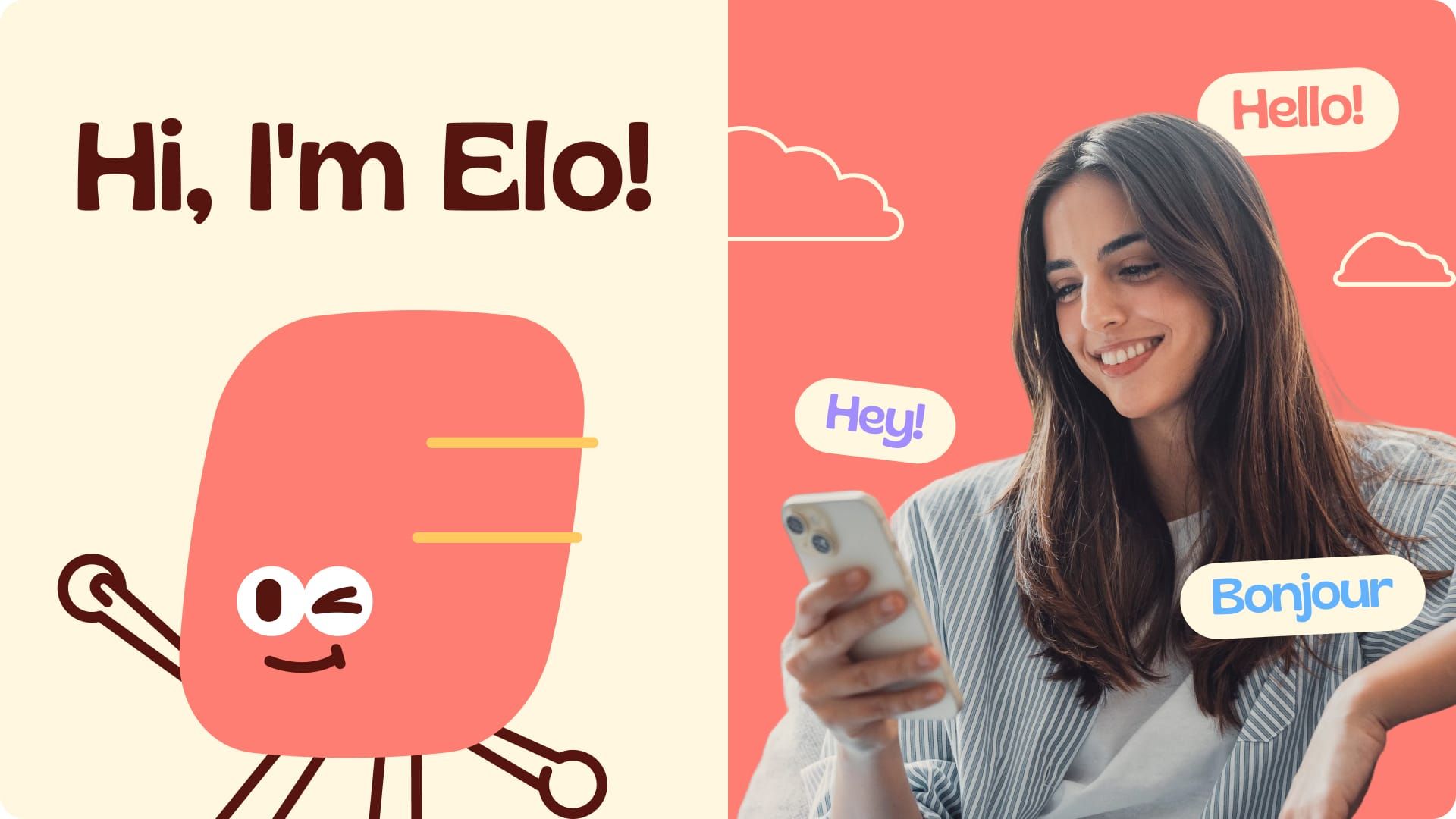
Elo is a wellness and lifestyle app that supports several areas of life in one place, from money and mood to learning and relationships. The brief was clear: Elo needed a mascot that could carry a whole app, not just sit on a splash screen. The character had to work in onboarding, inside in-app chat, and in notifications, often at very small sizes and in very different emotional moments.
The challenge: one character, too many jobs
A single mascot would need to feel calm when the topic is mood, focused when the topic is money, and playful when the topic is learning. When one character has to do all of that, you usually get the problem this guide warns about: too many variations, and a mascot that slowly stops looking like itself.
The solution: a mascot family built on shared rules
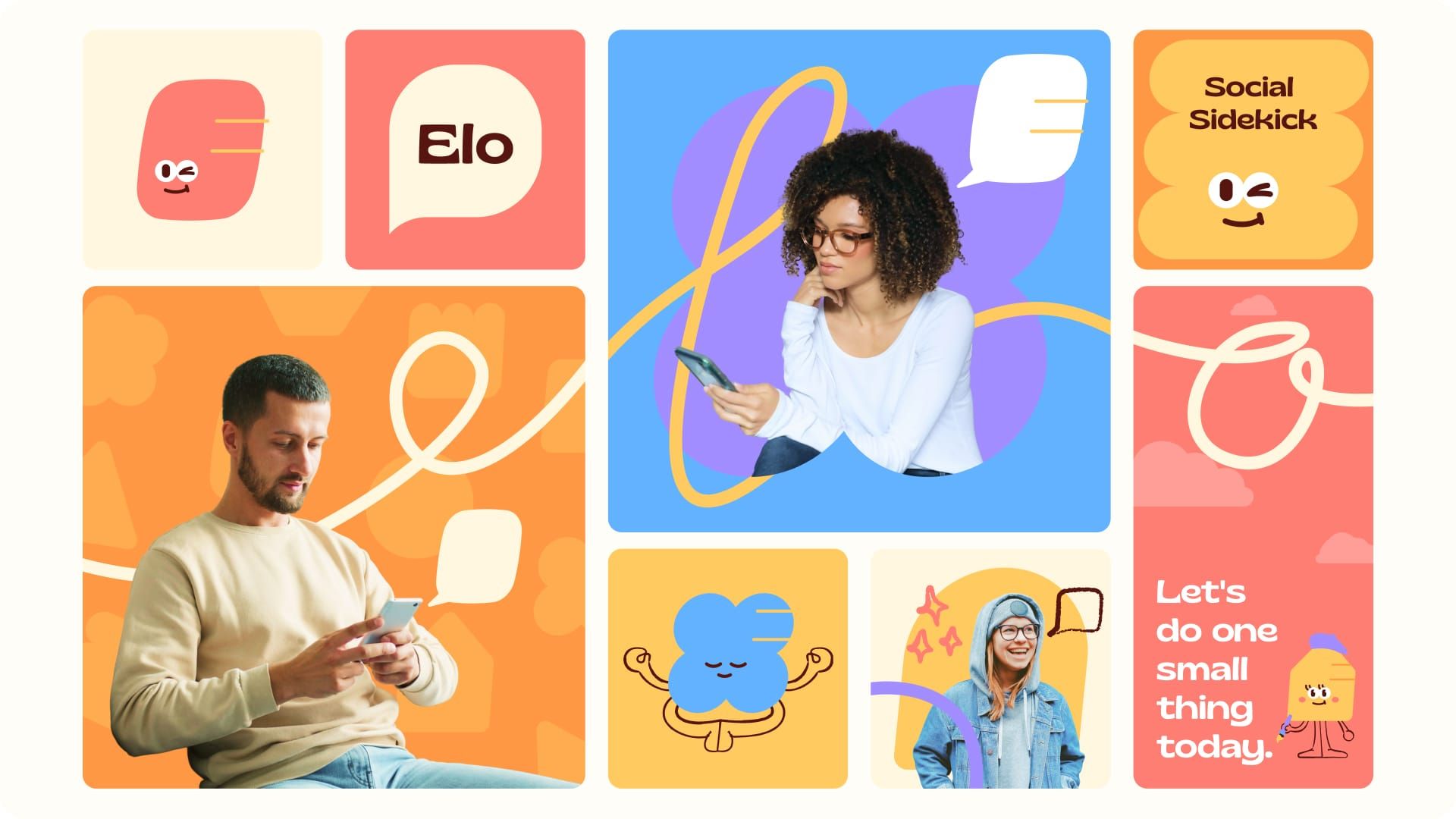
Instead of one mascot, Tetta designed a family of characters, each one representing a different area of life the app supports. The system includes 12 mascot tracks, with one shape for each life area (health, money, learning, and more), and 9 family members, each with a distinct shape and color.
What makes them read as one brand is what they share:
The same eyes on every character
The same line work, so the family looks drawn by one hand
The same warm, friendly face, which acts as the emotional anchor of the brand
What changes is controlled: each character gets its own color, shape, and personality. This is Step 4 (locking the model sheet) applied at family scale. The fixed features carry recognition, and the variable features carry meaning.
Built to move, not to sit still
Users see an in-app mascot many times a week, so a static sticker wears out fast. For Elo, Tetta built a set of poses, outfits, and expressions so the characters can react across the product:
Onboarding: each character introduces the life area it stands for
In-app chat: expressions shift to match the tone of the conversation
Notifications: a recognizable face at small sizes signals which area of life the message is about
What to take from the Elo project
Split the jobs, not the identity. If one mascot has too many roles, consider a family. Keep 2 or 3 features fixed across every member so recognition never resets.
Let shape and color do the sorting. Distinct shapes and colors help users tell life areas apart before they read any text. This is the silhouette test from Step 3, working at system level.
Design for the smallest placement. Chat avatars and notifications are tiny. Shared eyes and a simple face hold up at those sizes, while fine details would not.
Plan expressions as an asset pack. Poses, outfits, and expressions turn the mascot into a reusable tool for product and marketing teams, not a one-off illustration.
FAQ
How long does it take to make a mascot?
For a usable mascot system (concept, model sheet, and a small pack of expressions/poses), plan on a few focused work sessions rather than a single sitting. The time driver is not drawing the first version, it is building consistent variations and documenting rules so it stays on-model.
How do I know if my mascot is recognizable?
Run two quick tests: (1) the silhouette test at thumbnail size, and (2) a “3-second test” where someone sees it briefly and then describes it. If they describe generic traits (“a cute animal”) instead of a specific feature (unique head shape, accessory, tail), increase distinct silhouette cues.
Should I use AI to make a mascot?
AI can help explore directions quickly, but consistency is the hard part. If you use AI, treat outputs as concept references, then rebuild the final mascot as a controlled vector with fixed proportions, line rules, and a defined expression set. That is what prevents style drift.
What file formats should I deliver to my team?
Deliver a master vector (SVG/AI), an editable working file (often Figma), and PNG exports in common sizes with transparent backgrounds. Include a one-page mini guide with do/don’t rules and proportion notes so new designers can extend the system safely.
If you want help turning the steps above into a mascot system your team can reuse across ads and social, Tetta Space can design the character, expressions/poses, and the on-brand delivery files so you can launch faster. Start by sending a brief at Tetta Space and ask for a mascot scope.

Written by Thomas D
Hi, I'm Thanh Duong, but most clients know me as Thomas. I lead product design at Tetta Creative Studio, and over the past five years I've designed websites, online stores and digital products for brands in technology, AI, fashion, F&B and beauty, across Vietnam, the US and Australia,... My work sits where user experience meets business results. I map customer journeys, simplify checkout flows and build design systems that help small teams ship faster. On Upwork, I hold Top Rated status, a badge I earned through consistent client satisfaction and on-time delivery. On the Tetta blog, I write about e-commerce UX, product page design, and the practical decisions behind interfaces that convert. When I'm not designing, I'm drawing or playing with my cat. Expertise: UI/UX design, e-commerce product design, design systems, prototyping

Ecommerce Layout Design That Guides Shoppers From Landing to Checkout
Learn ecommerce layout design with a practical framework, page-by-page checklist, and examples to improve clarity, trust, and conversions.

Best UX Ecommerce Sites: What They Do Differently (and What to Copy)
Learn what best ux ecommerce sites do differently with a practical UX checklist you can apply to navigation, PDPs, cart, and checkout.


Creative Ecommerce Website Design That Sells Without Feeling Salesy
Learn creative ecommerce website design principles, patterns, and a practical framework to make your store memorable, trusted, and easier to buy from.