
Instagram Post Layout Without Guesswork, A Simple System for Consistent Posts

Most teams don’t struggle with ideas, they struggle with instagram post layout: where the headline goes, how much text is too much, why one post looks “clean” and the next looks crowded. The fix is not more inspiration, it’s a repeatable layout system you can apply to every post type.
- What an Instagram post layout actually is (and what it is not)
- The 5-part layout system you can reuse for almost any post
- Layout checklists for the most common post types
- Benchmarks that prevent “busy” layouts on mobile
- A concrete example, turning one message into 3 different layouts
- How to turn layouts into templates your team can scale
- A strong instagram post layout is mostly about hierarchy and spacing, not decoration.
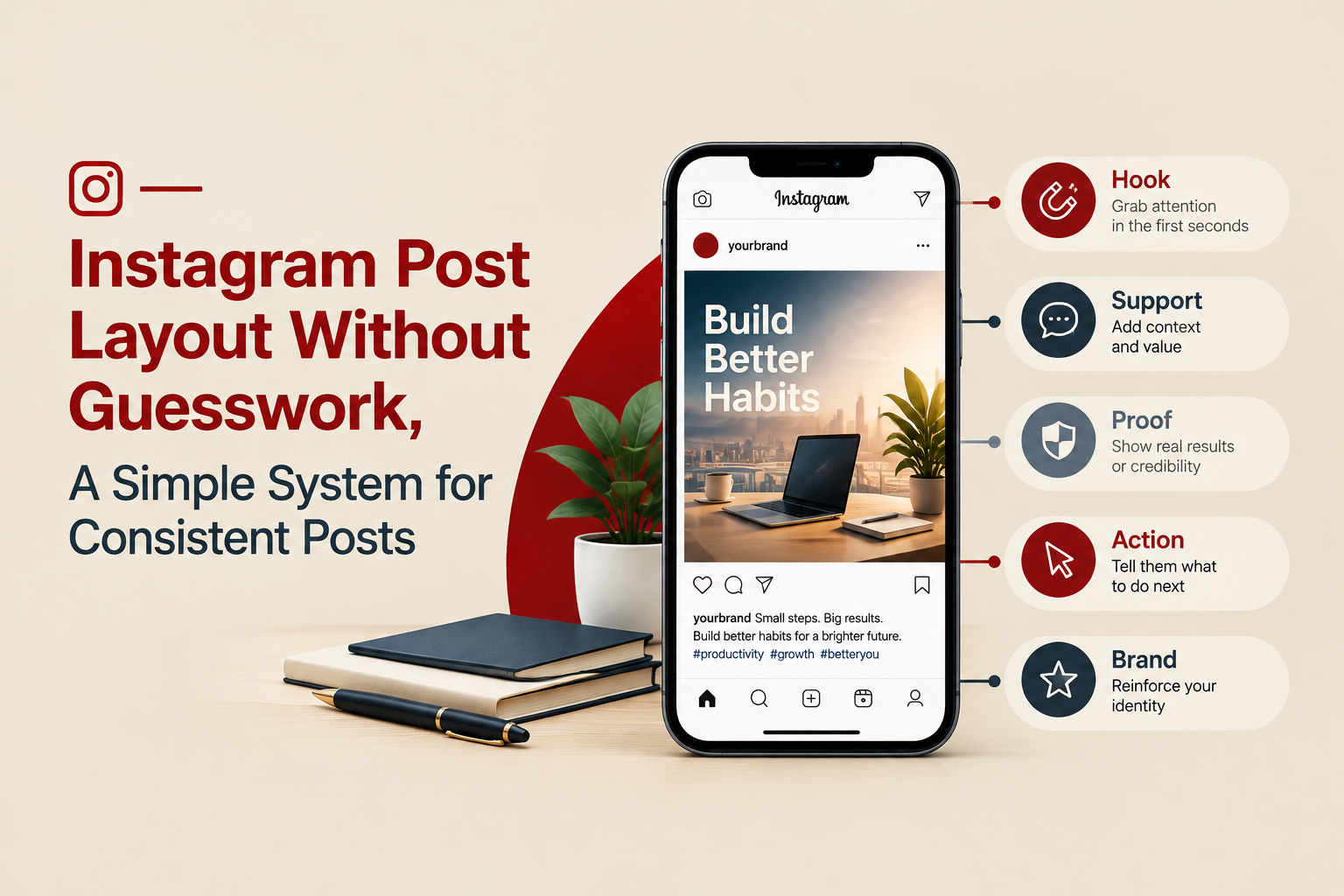
- Use one 5-part structure (hook, support, proof, action, brand) to make layouts consistent across post types.
- Mobile-first benchmarks (type size, padding, line count) prevent cramped designs and improve readability.
What an Instagram post layout actually is (and what it is not)
An instagram post layout is the repeatable arrangement of content elements inside a post: headline, image, supporting copy, product shot, logo, CTA, and whitespace. It answers: what should the eye see first, second, and third on a phone screen.
It is not your brand identity (colors, fonts, tone) and it is not the same as “a template.” A template is a file. A layout is the underlying structure that makes different templates feel coherent.
Practical definition you can use:
- Layout = grid + hierarchy + spacing rules
- Visual style = colors + typefaces + imagery style
- Template = an editable asset that applies layout + style to a specific use case
The 5-part instagram post layout system you can reuse for almost any post
When posts look inconsistent, it’s usually because different people are making different decisions about emphasis. This 5-part system standardizes those decisions so your team can move faster.
- Hook (1 element): The thing a person understands in under 1 second (headline, big number, bold claim).
- Support (1 to 2 elements): The context that makes the hook believable (subhead, short list, secondary image).
- Proof (0 to 2 elements): Evidence that reduces skepticism (review snippet, “as seen in,” product detail, data point).
- Action (1 element): What to do next (CTA line, button-style shape, “Save this,” “Shop now”).
- Brand (1 element): A consistent brand stamp (logo, handle, signature corner graphic).
Rule that keeps layouts clean: Pick one primary hook and make everything else visually quieter. If you have two hooks (two big headlines, two big images), your post competes with itself.
If you want to package this system into repeatable assets, this pairs well with a structured social media post design approach: decide the system first, then build templates from it.
Layout checklists for the most common post types
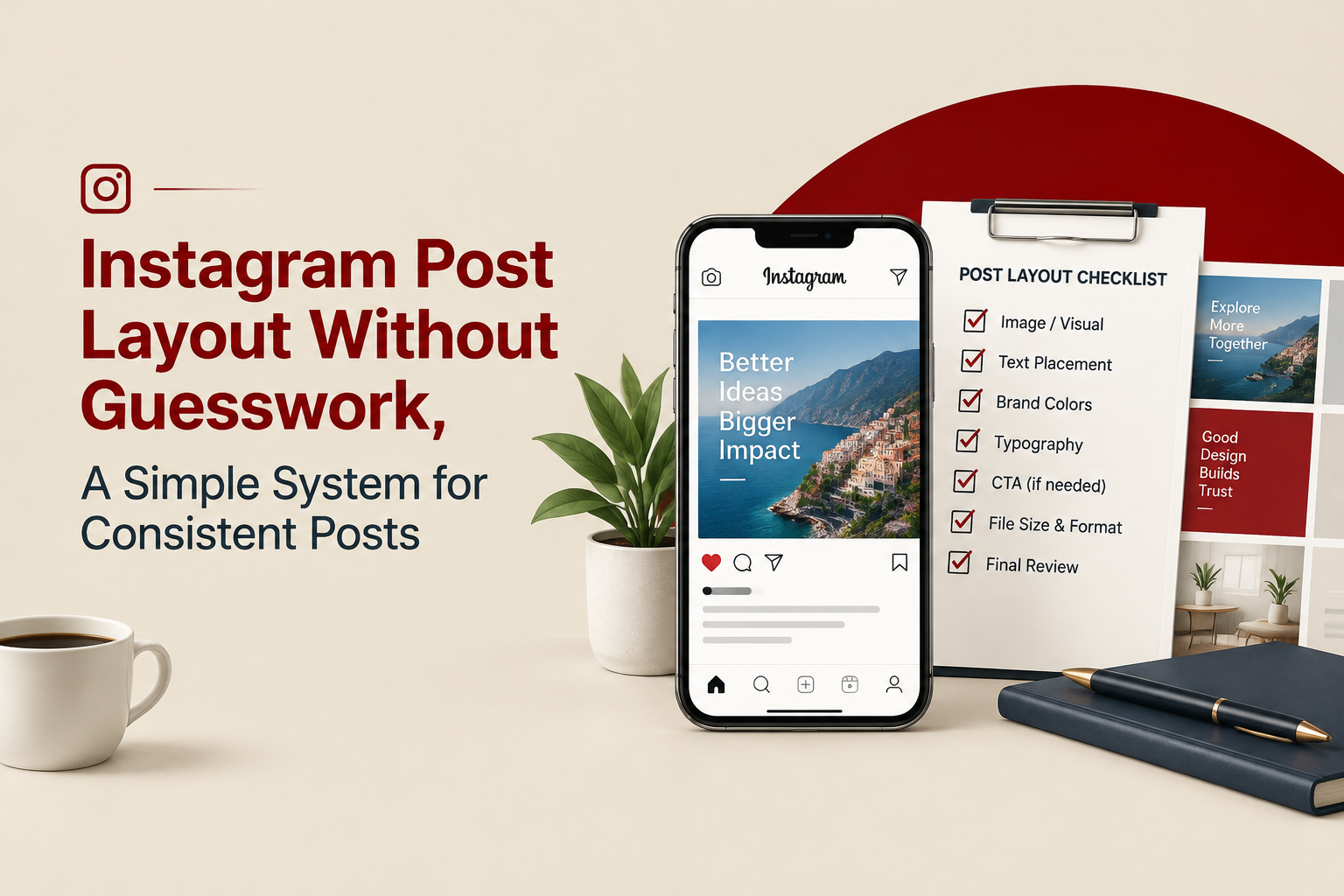
Use these as “layout recipes.” Each one includes specific constraints so the post is easier to execute and review.
1) Announcement post (launch, restock, new feature)
- Hook: 3 to 6 words max (example: “Restock is live”)
- Support: 1 short line (date, variant, who it’s for)
- Proof: optional (small product detail or 1 benefit)
- Action: one CTA (example: “Tap to shop”)
- Brand: logo/handle in one consistent corner
2) Educational tip post (single slide)
- Hook: “Do X, not Y” or “3 things to check”
- Support: 2 to 4 bullet lines (keep each line short)
- Proof: optional (tiny icon set or simple diagram)
- Action: “Save this” or “Share with a teammate”
- Brand: consistent signature bar or corner tag
3) Product benefit post (DTC-friendly)
- Hook: 1 benefit, not the product name (example: “Softer sleep, cooler nights”)
- Support: 1 to 2 feature callouts with labels
- Proof: review snippet or “X-day trial” if applicable
- Action: “Shop the collection” or “See details”
- Brand: logo placement stays fixed across variations
Once you have 6 to 10 of these “recipes,” you can turn them into a reusable social media templates set without every post feeling like a copy-paste.
Benchmarks that prevent “busy” layouts on mobile
Instagram is consumed at arm’s length. A layout that looks fine on desktop can be unreadable on a phone. These benchmarks are practical guardrails (not art rules).
| Layout factor | Starter benchmark | Why it matters |
|---|---|---|
| Number of focal points | 1 primary, 1 secondary | More focal points reduce comprehension speed. |
| Text lines in the hook | 1 to 3 lines | Long hooks look dense and get skipped. |
| Total text blocks per slide | Max 3 blocks | Too many blocks create visual noise on small screens. |
| Padding to the edge | Keep a safe margin around all text | Avoids the “crammed” feel and reduces cropping risk. |
| Type hierarchy levels | 2 to 3 sizes max | Too many sizes looks chaotic and hard to scan. |
| Contrast for readability | High contrast for body text | Improves accessibility and reduces eye strain. |
Accessibility note: If you’re unsure about contrast, follow the intent of WCAG accessibility guidelines even though posts are images. In practice, it means avoiding light gray text on white backgrounds and ensuring small text is not low-contrast.
A concrete example, turning one message into 3 different layouts
Message: “Our fall sale is live. 20% off sitewide until Sunday.”
Layout A: Bold announcement (fast comprehension)
- Hook: “Fall sale is live” (largest element)
- Support: “20% off sitewide” (smaller, directly under)
- Proof: none
- Action: “Ends Sunday” as a badge
- Brand: logo in bottom-right
Layout B: Product-led sale (better when product visuals are strong)
- Hook: “20% off” (large)
- Support: product image takes 50 to 70% of canvas
- Proof: 1 micro-benefit label near product
- Action: “Ends Sunday” in footer bar
- Brand: handle in footer bar
Layout C: Value explanation (reduces discount fatigue)
- Hook: “Save 20% on your staples”
- Support: 3-item list: “Bundles, refills, bestsellers”
- Proof: tiny review star line or “Free shipping over $X” if true
- Action: “Shop before Sunday”
- Brand: logo lockup top-left
All three are different, but they share the same instagram post layout logic: one hook, limited text blocks, consistent brand stamp.
How to turn layouts into templates your team can scale
Layouts become scalable when they’re documented and stored as editable building blocks, not just exported PNGs.
A 7-step workflow to operationalize your layout system
- Pick 6 to 10 “layout recipes” (like the checklists above) that match your content mix.
- Define fixed elements (logo position, footer bar, headline area) that stay consistent across posts.
- Define flexible elements (image slot, accent color block, icon set) that let you vary content without breaking the system.
- Create a component library in Figma or Canva (buttons, badges, bullets, pricing chips). If you use Figma, start from Figma documentation to standardize components and styles.
- Set “do not break” rules (max text blocks, safe margins, hierarchy levels).
- Name templates by use case (Announcement-01, Benefit-02, Tip-03) so non-designers can choose quickly.
- Run a weekly consistency check: sample 9 recent posts and verify they follow your fixed elements and hierarchy rules.
If you’re debating what kind of files hold up as your team grows, start with your instagram post template system choice, because it determines who can edit, how versioning works, and how quickly you can ship variations.
When it’s worth getting help: If you already know your content pillars but your feed still looks inconsistent, the problem is usually the underlying layout system and component rules. That’s the type of “set it up once, reuse for months” work a studio like Tetta Space may help with in a single template system engagement.
FAQ about Instagram Post Layout
If you want, take the 5-part layout system above and audit your last 12 posts this week. If you’d rather skip the setup and get a reusable, on-brand layout library built for everyday posting, Tetta Space can help you create a template system your team can actually use. Next step: send a brief with your post types and examples, and get a clear scope back within 24 hours.

Written by Celina Tran
I write about the space where design meets e-commerce. At TETTA, I work with brands to build social templates, scroll-stopping ads, and mascots people remember. Here, I share practical tips on visual consistency and creative workflows, and on how small teams can look big without an in-house design department.

Creative for Digital Marketing That Actually Improves Ad Results, A Practical Framework
Learn creative for digital marketing with a practical framework, examples, and checklists to build ads that earn attention and convert.


Ads Creative Studio or In-House: A Practical Shortlist Framework for Paid Social Teams
Use this ads creative studio evaluation framework to shortlist providers fast: criteria, scorecard, red flags, and a 7-day trial brief.


Creative Advertising Design Starts With a Clear Decision System
Learn how creative advertising design turns product messages into clear, memorable ads with a practical framework, checklist, and examples.